.svg)
.svg)
Extracting raw data from Excel files
Structuring it according to SAGA C import requirements
Generating XML files ready for import
In SAGA C, automatic invoice import is possible only through XML files with a predefined structure. Files exported from other applications are usually in Excel format and cannot be imported directly.
With DATA.IMPORT, you can process and import invoices from Excel files, ready for SAGA C.
.svg)
Purchase invoices
Import purchase invoices from Excel files and automatically generate SAGA C-compatible files.
.svg)
Sales invoices
Process sales invoices from Excel and transform the data into XML format ready for import.
*Invoices with one or multiple line items can be imported.
.avif)
.svg)
.svg)
Add the companies you want to import data for in the Companies menu.
Enter each client’s tax ID and save the details.
This step is only required when adding a new client.
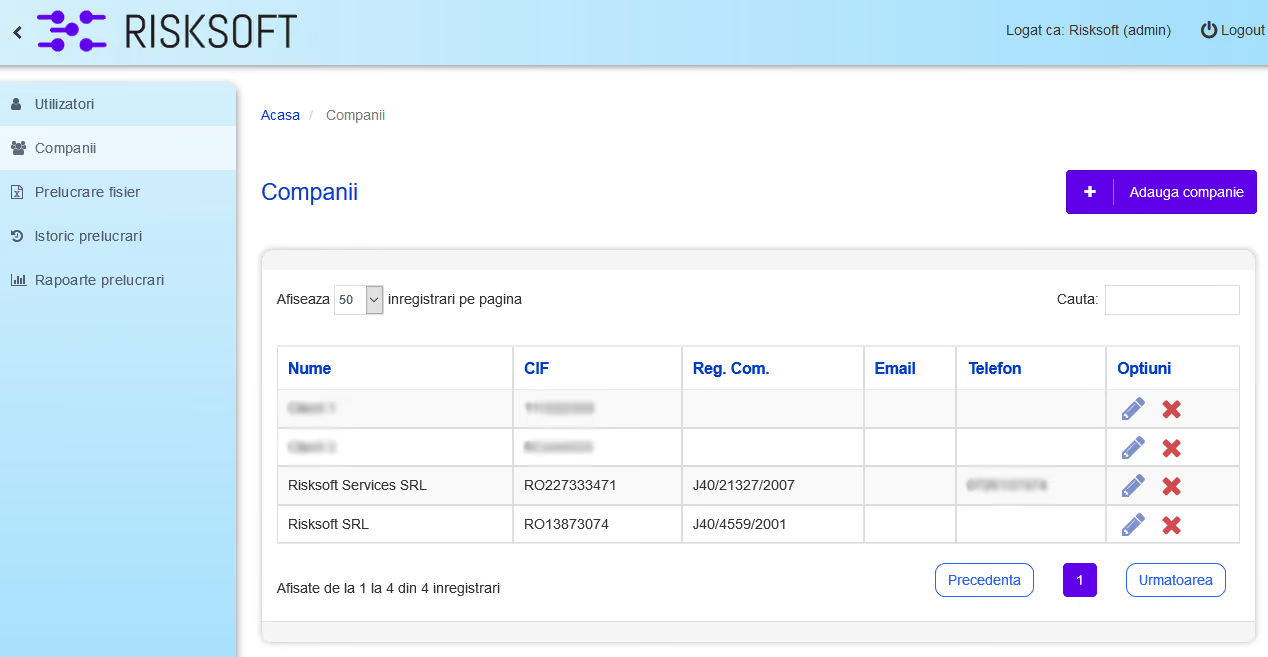
*Application interface currently available in Romanian

.svg)
Upload your Excel file, choose the import type, map the Excel columns to the corresponding SAGA C fields, and validate the data before generating the final file.
Map the Excel data to the corresponding SAGA C fields and validate it.
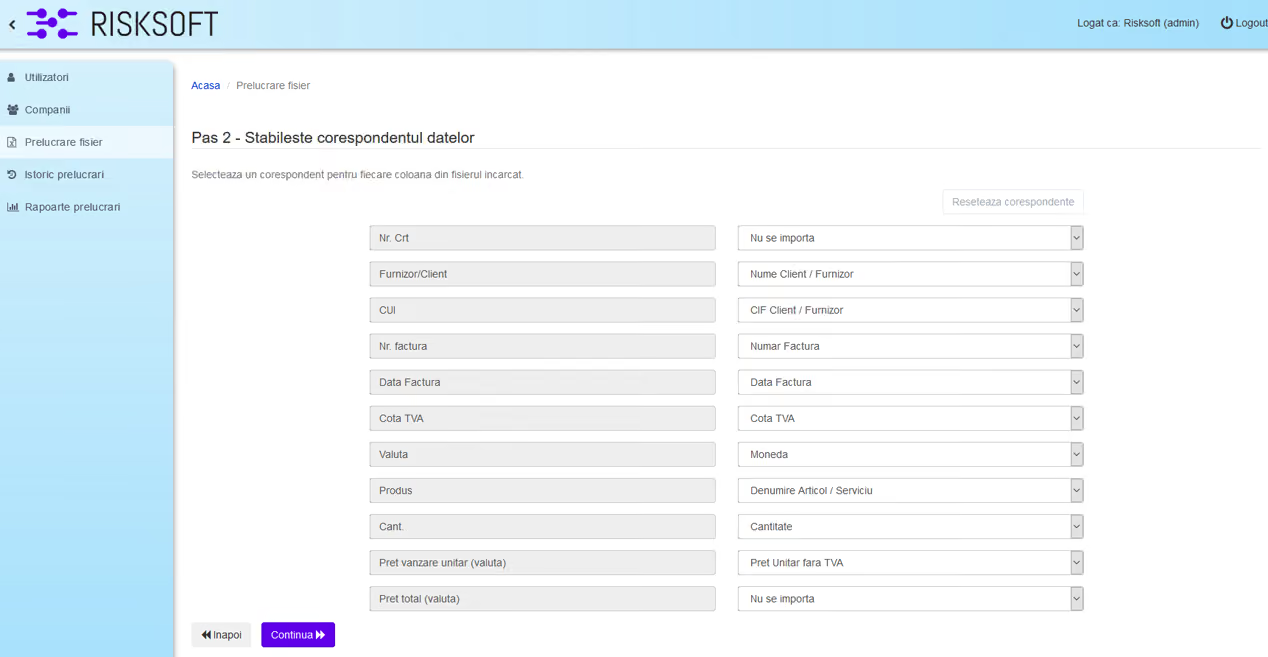
*Application interface currently available in Romanian

.svg)
Download the XML/DBF file from the Processing History menu and save it in the folder you will use for the SAGA C import.
Open the Import data menu in SAGA C and import the generated file.

* Imported files and generated files are stored for 60 days. We recommend downloading and saving files to your own devices for long-term retention.
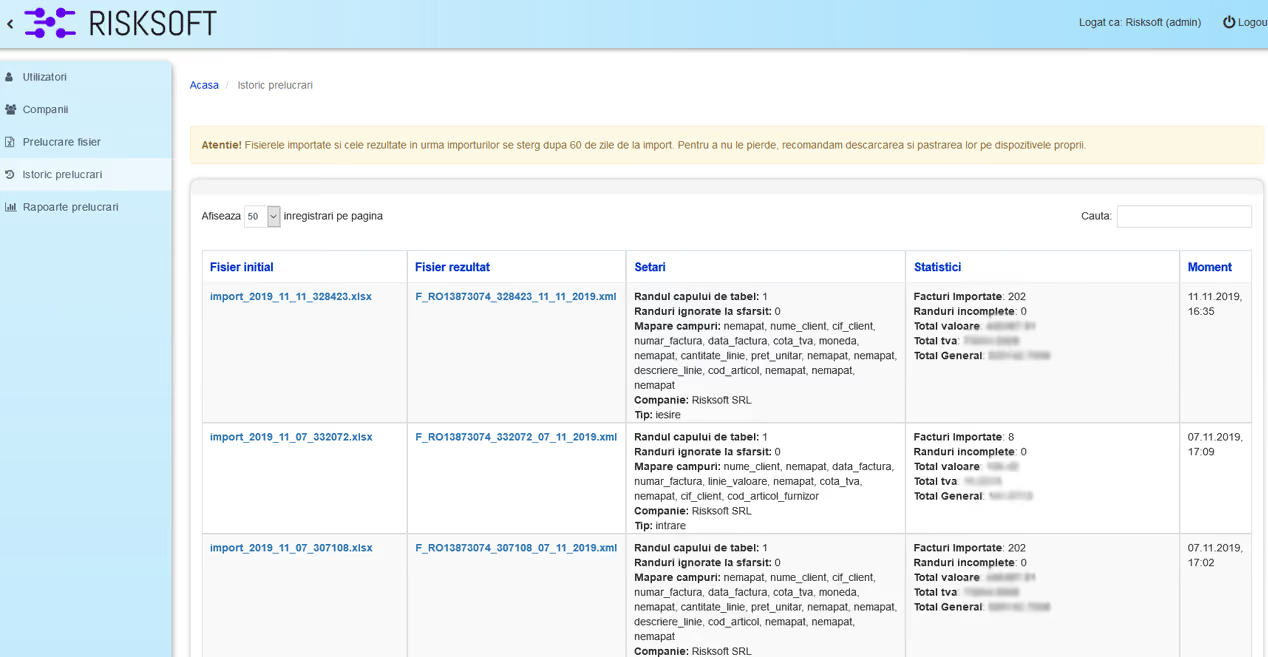
*Application interface currently available in Romanian
.svg)
Large volumes of documents are processed in minutes, not hours.
.svg)
Generated files follow SAGA C import requirements, reducing formatting and structure issues.
.svg)
Mappings created in DATA.IMPORT are saved automatically and can be reused for future Excel files with the same structure.
.svg)
Independent accountants who need a fast, self-managed way to import client invoices
.svg)
Companies that export invoices from billing software, ERP, or other platforms and want to import them into SAGA C on their own
.svg)
Accounting firms processing high volumes monthly without depending on external support
Plans are based on the number of documents processed each month:
250 invoices / month
500 invoices / month
1,200 invoices / month
Gold Plus
2,500invoices / month
Platinum
5,000 invoices / month
Platinum Plus
10,000 invoices / month
*Unused documents do not roll over to the next month.
*Monthly subscriptions are billed on the last business day of each month for the following month. In the first month, the invoice is issued when the package is activated, for the current billing period.
You don't need a demo call or onboarding session. These resources cover the full workflow, from preparing your Excel file to the final import into SAGA C.
Real results
.svg)
Extremely simple to use. I have over 600 invoices monthly from PynBbooking which I download as Excel tables and then run them through Risksoft Data.Import, which generates an XML that I import directly into SAGA C on Sales. It took me 30 minutes to understand how they convert any Excel table into XML for SAGA. A real help in my work!




.svg)
